Removing barriers – the CUG way

Over the last few months, a small working group of CUG (Christine Drever, Gail Horbay, and Brenda Butler) has been investigating fines in academic libraries through reading the literature, conversations with other Canadian academic libraries, and looking at our local situation. The working group’s report with recommendations was presented to CUG in March, followed by further discussion at the Dean’s Team. The efforts of that working group and of CUG as a whole have resulted in improved client-focused service and a reduction in service barriers.

Beginning Thursday 1 May:

  • the loan period for regular stack items has been increased to 30 days (from 3 weeks).
  • fines for overdue regular stack items have been removed; however, there are still fines on overdue recalled, reserve, and ILL items.
  • the time period between when an item becomes overdue and when a BFR is issued will be reduced to 30 days (from 52 days).
  • library staff will encourage clients to place requests on desired items that are currently out — thus generating a recall notice and revised due date.

Thank you CUG and Gail, Brenda, and Christine for your work in bringing these changes to fruition!

Good-Bye Megan!

Summer hours start today at the Murray Library, so yesterday we said good-bye to Megan, who had her last shift before taking the summer off. Megan is our late-night circ staff member, and she’s the one that keeps the building running until 11 pm on weeknights during the school term.

To say good-bye, the Murray Social Committee (aka Justine the Magnificent) planned a fabulous Harry Potter-themed food day. The decorations were in the Hogwarts house colours, and staff members could take a quiz to find out which house they belonged in.

Everyone did a great job of bringing in delicious food, which included bourbon caramel cupcakes, Bertie Bott’s Every Flavour Jelly Beans, gummy frogs, Butterbeer, Hermione’s Magical Mushroom Tarts, and lots of cookies and snacks.

Have a great summer, Megan! See you in September!

IMG_0485 IMG_0487

Angry Birds Competition!

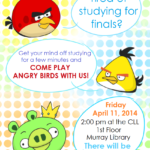
As part of our “Take a Break with US” events, the Murray Library held an Angry Birds Competition last Friday.

The library’s Peer Mentors wanted to do something fun to finish off the school year. They heard about the Angry Birds Tournament that Eva and Darlene had created several years ago (see old pictures on the Murray Library’s Facebook page) and decided to do something similar. So the Peer Mentors, along with Eva, Darlene, Lara and Amy, started planning together. 

We made 2 large structures using old boxes, and we make some smaller tabletop structures using paper.Students could try their hand at any or all of the structures. There were no winners or losers. The point was just to have fun and let out some steam.

The most popular part of the event was the free cake! A huge thanks to Darlene and her friend who made and donated the cake.

Students who participated could all enter their name in a draw for prizes. The prizes were 2 windbreakers which were donated by the U of S Bookstore and 7 Angry Bird plush toys donated by the Campus Computer Store.

The event was a huge success! We had over 80 people come into the room for the 2 hours that we were open, and others even tried coming in after we had already cleaned up because they heard about how much fun it was.

You can click on any of the images below to see them in a larger size.


Take a Break with Us a Huge Hit

After days and days of laborious, strenuous, and exhaustive planning the time is nigh! The Murray Library is proud to announce that the much anticipated sequel to the “Take a Break with US” has opened with a BANG today. And what a bang! So far as we type our count is at over 80 students that have come in to peruse our activities and partake in our complementary libations. Not to toot our own horns but… TOOT TOOT!  IMG_0388

Movers and Shakers at the Law Library

Robin sparkles httppho.to59gcL

Robin Parent – Library Assistant Extraordinaire

Kathy cube

Kathy North – Super L.A.

Greg painting

Greg Wurzer – the friendliest Liaison Librarian around

Frank the Terminator

Frank Winter – the scariest Liaison Librarian around

090b4e4e_o

Lyn Currie – the coolest (and the bluest) Library Head around

f43b7d3c_o

Jennifer Murray – classic, yet innovative, Library Assistant

usearch tips

Have you been looking for ways to improve your usearch results?  The number one tip – sign in to your account!  Unless you are on a networked computer on campus, in order to see all of the available results you need to sign in.  This is because some of the databases and journals we subscribe to require us to prove that we have a subscription before the results can be included for your search – so sign in and reap the benefits of our large, varied collection!

login

If I find an article from a specific database in usearch, does that mean the whole database is searchable there?

Not necessarily – because of the way content is provided to Ex Libris, the software vendor, we don’t know exactly what the overlap is between Primo Central (the index that usearch searches) and our research databases.  It could be 100% in some cases, but in others, as low as 0%.

 So how do I know what usearch searches?

When we figure it out, we’ll let you know!  Kidding.  We know some of the resources that are included in usearch, and some that aren’t.  For example, most EBSCO databases are not searchable through usearch, because EBSCO hasn’t provided information about their content to Ex Libris.

Here are some of the resources we know are included:

  • JSTOR
  • PsycARTICLES
  • Oxford Journals
  • Web of Science – Arts & Humanities, Science, and Social Science Citation Indexes
  • Medline Journals
  • ERIC
  • Emerald eJournals

Even though Academic Search Complete isn’t searchable in usearch because it is an EBSCO product, 87% of the content is searchable because it’s covered by other databases that ARE included.  And don’t despair if your favourite database isn’t on this list – this is just a fraction of the over 400 million items that are indexed, and more are being added all the time.

venn diagram

Also, did you know:

You can use wildcards to help refine or expand your search results.  Some examples of wildcards you can use in usearch are:

  • Single character wildcard – use a question mark “?” e.g., wom?n will bring back results that include woman, women, etc.
  • Multiple character wildcard – use an asterisk “*” e.g., cultur* will bring back culture, cultures, cultural, etc.

A note:  you can’t use wildcard place holders at the beginning of the search term – a search for ?ack or *ack will be as if you just searched ack.

Outlook as an RSS feed reader

Did you know that Outlook may be used as an RSS feed reader? And that you can get new posts to come either directly to your email or to a separate RSS Feeds folder? Here’s how you do it:

  1. On the internet, find the blog you would like to follow. Find the RSS Feed link to the blog and click on it. On the BranchingOut blog, this is located along the right side of the Welcome page and is called “Entries RSS.”
    blog RSS

  2. Copy the URL at the top of the new page that opens up. It should contain the word “feed.”
    fee url

  3. Now, leave the blog and open up Outlook. Find the RSS Feeds folder in the list of folders along the right side. Right click on the folder and choose the “Add a New RSS Feed…” option.
    2

  4. A box will pop up for you to paste the RSS feed URL. Paste the URL the you had previously copied, and hit the Add button.
    6

  5. Another box will pop up asking you to confirm that you would like to add this feed to Outlook.
    7

  6. At this point you have two options:

    1. Add the feed to the RSS Feeds folder where you can go in and check it at your leisure. If your feed contains posts that you have not read the blog title will be in bold with the number of unread posts indicated by a number.
      library dudeFor this option, simply click on “Yes.”

    2. The second option is to add the feed so that new posts go directly to Inbox. For this option, you must click on “Advanced.” This will bring up another box giving you the choice of folders to which your feed may go. Clicking on “Change Folder” allows you to choose to which Outlook folder you wish your blog feed to go. Click on it
      Change folderUp pops another box with options to change the folder to which your blog feed goes. Choose the Inbox in order to get new blog posts to come directly to your email.
      inbox
      And hit OK.And hit OK again. Then hit Yes. You have now added a blog feed that will go directly to your Outlook email inbox.

This just in! Clowns and Astronauts at UASC

Stevie: For March, Laurie and I are going to do a shared review of what’s gone down at the University Archives and Special Collections. First off, let me introduce you to Buzz, the newest member of our back corner team.

IMG_0902

 Buzz is also known as “The Stig”, or “Astronaut on a Camp Stool Drinking Space Lemonade”. He was culled a long time ago from a collection in which he wasn’t the best fit (as is sometimes necessary given the realities of three dimensions within which all libraries operate), and rather than letting him be destroyed, I squirreled him away next to my desk. In fact, after being mesmerized by his sunshiny demeanor, and hearing about his ultimate fate of disposal, I may have uttered a prolonged “nooooooooo” and run off with him.

Laurie: For most of us this winter has been long and cruel with an excessive helping of frozen solid.  I didn’t see the exciting rescue of our Buzz but one morning I was greeted by Stevie and her fantastic Stevie grin.  She introduced me to Buzz and instantly our winter was better.  Some days life in the Archives is like being Indiana Jones, discovering treasures – but without the bullwhip and the bad guys.  Personally, Buzz has been fun but he’s also a great example of how the materials in UASC can be unexpected and unforgettable.

Also this month:

  • Clowns: Patrick Hayes has been working with a group out o1604802_661025280625044_63190892_nf Los Angeles, supplying images of the Harlem Clowns, a group formed by Mr. Al Pullins, one of the first original five Harlem Globetrotters. The Harlem Clowns traveled the globe, playing basketball for charity–including a game against our own U of S Huskies. The people Patrick has spoken with hope to have Al Pullins inducted into the Basketball Hall of Fame in recognition of his charitable work, and the foundations he laid within the basketball community. Visit their Facebook page, or sign the petition.
  • In the News: Portions of the Diefenbaker Collection were featured on a March 22nd episode of CTV’s W5, titled Seeking the origins of the Maple Leaf flag, finding the soul of our nation. Hundreds of potential Canadian flags were proposed during the years in which the flag debate took place, a variety of which were presented to Mr. Diefenbaker (himself a staunch defender of the Red Ensign). To read more about the W5 report, please visit

    and click here to see  the gallery of proposed flags.

  • Trans* Awareness Week spotlight featuring relevant Trans* items from the Neil Richards Collection
  • Planes, Trains, Automobiles . . . and Boats: For those of you who haven’t had a chance to visit our ground floor and third floor Murray Library display cases lately, please do! They contain a delightful array of travel-related ephemera ranging from the twenties, to the world wars, to fifties kitsch and beyond.
  • Index of Wrestling Photographs posted this month
  • Collaboration with a museum in Scotland

Veterinary Medicine Library Changes

Image

An opportunity for faculty and staff to provide input on upcoming Veterinary Medicine changes ended this week

An opportunity for faculty and staff to provide input on upcoming Veterinary Medicine changes ended this week

The Veterinary Library has been working with the Western College of Veterinary Medicine, Facilities Management, Collections Services, and the Leslie and Irene Dubé Health Sciences Library to plan some changes to our physical space. This week marked the end of a two week period for all visitors to provide input on proposed changes. (Maybe some of you recognize the sign that was re-purposed from the generous snacks provided by the Alumni Association!)

Where Have the Older Journals Gone?
Anyone who has visited has likely noticed that our bound journals have been already been moved … Over the past couple of months all but the current 3 years of journals from the Veterinary Medicine Library have been moved to the Leslie and Irene Dubé Health Sciences Library where they will eventually be interfiled with that library’s journal collection. Thanks for all of those involved in the ongoing and previous work!

Here is some additional info for anyone trying to access our bound journals!

To access these journals please use the request feature of our Catalogue and the item will arrive in 1-2 days if they are in the library at the time of request.

Search for the title you need in the Library’s Catalogue:

• Click on the title to see the full information for that item

• Click on the red “Hold Request” button near the top of the screen

• Enter your NSID, password and location for pick up (choose “Vet Med Library Circulation Desk”).

• For journals, you will be provided with a complete list of volumes available. Check the button next to the needed volume.

Only one item may be requested per process (i.e. if you need several volumes from one title, you need to request each one separately).