
✔️ Clear and easily accessible support system is in place for any technical issues that may arise (e.g.: FAQs, troubleshooting guide, dedicated support team).
Review These Explanations

Photo by Matt Walsh on Unsplash
Technical challenges pose a significant obstacle for millions of university students globally (Joubert & Snyman, 2017). Successful online learning aligns with learners’ proficiency in practical technology use for active engagement on online platforms, therefore, a clear and easily accessible support system for technical issues is crucial in the educational context. When learners and instructors have prompt access to assistance when encountering technical challenges, it minimizes disruptions to the learning process. Such a support system typically includes FAQs, troubleshooting guides, and a dedicated support team, which provides users with the resources needed to independently address common issues.
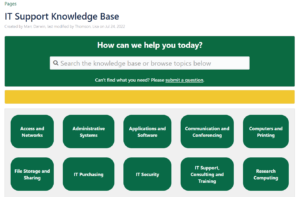
- A FAQ (Frequently Asked Questions) page is a section on a website that offers concise answers to common queries. It serves as a quick reference for users seeking information without the need for direct support. The goal is to provide efficient solutions and improve user experience.
- A troubleshooting guide is a set of step-by-step instructions, often accompanied by videos and pictures, to assist users in identifying and resolving common issues with a product or system independently.
- A tech support team is a group of professionals within an organization or company who are responsible for assisting users with technical issues, troubleshooting problems, and providing solutions related to the use of technology, software, or hardware. The primary goal of a tech support team is to ensure that users can effectively use and navigate through various technological systems and applications. This team may offer assistance through various channels such as phone support, email, chat, or in-person interactions, depending on the organization’s structure and the nature of the technical support needed.
Seamless accessibility empowers users, and a robust support system reflects a commitment to user satisfaction, fostering a positive perception of the technological infrastructure. Utilizing this system ensures a productive and frustration-free learning experience by swiftly resolving technical obstacles.
Refresh Your Course with These Ideas
General Suggestions:
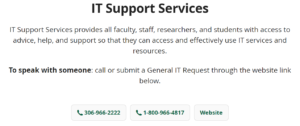
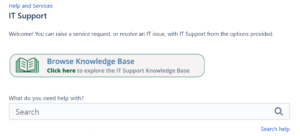
- Include a dedicated section in the LMS platform that provides direct links to the support system components, including FAQs, troubleshooting guides, and contact information for the support team.
- Embed links to the support system in activity or assignment instructions that involve the use of specific technologies. This ensures that learners have immediate access to assistance relevant to the task at hand.
- Leverage the features of your LMS to create discussion forums or messaging channels specifically for peer-to-peer technical support.
- Implement mechanisms for users to provide feedback on the effectiveness of the support system. Use this feedback to continuously improve and enhance the support experience.
- Communicate the availability of the tech support system to users. Include information about support resources during course orientation, or within your syllabus. Regularly remind users of the available support channels and how to access them.
Specific Tips:
(Kwak, 2021)
- Address common issues in the beginning with students
- Use screencasting software to record explanation of the technology being utilized and point out common errors students have
- Work with colleagues to develop quick responses that are customizable for general tech questions
- Communicate instructions in multiple ways so learners can access multiple perspectives of support that best suits their needs
References:
Joubert, Y., & Snyman, A. (2017). Challenges experienced with online tutoring in an odl institution. Progressio , 39 (1), 126-145
Kwak, J. (2021). When students turn to faculty for Tech Support: Tips to help them stay on track. Every Learner Everywhere. https://www.everylearnereverywhere.org/blog/when-students-turn-to-faculty-for-tech-support-tips-to-help-them-stay-on-track/
- Effective Strategies for Online Technical Support in Higher Education (Online Learning Journal, 2020)
- USask IT Support Video: https://wiki.usask.ca/x/AIGybw