
✔️ Learners have easy access to a well-designed and up-to-date gradebook.
Review These Explanations
Learners need feedback and guidance to stay on track, especially in online courses. Having a course gradebook that is easy to navigate provides learners with the guidance they need in order to determine and follow a pathway in their online courses (Schaffhauser, 2016).
Online gradebooks provide instructors with the opportunity to automate, customize, and share grades and feedback with learners. Setting up the gradebook with the LMS should be a core competency of any instructor teaching online, as keeping learners on track and informed will promote success and motivation in the online space.
By providing easy access to an up-to-date gradebook, instructors give learners the ability to check in on their progress continuously throughout the course term. The added functionality and reporting features enable faculty to review and analyze the gradebook, as well as create reports on learner progress and course completion.
Learners will also benefit by seeing what assignments and other graded activities they have not yet turned in.
Refresh Your Course with These Ideas
General Ideas
- Provide a direct link to the gradebook within the Course Information Documents Area.
- Create a short video overview of how to access and navigate the gradebook for your learners.
- Use short titles/headings for assignments to maximize the column vies in the LMS gradebook.
- Request a gradebook tutorial from your campus LMS, instructional design, or IT representatives.
- Encourage learners to check the gradebook after every assignment has been graded to be sure that they can access their grades and any associated feedback.
Example
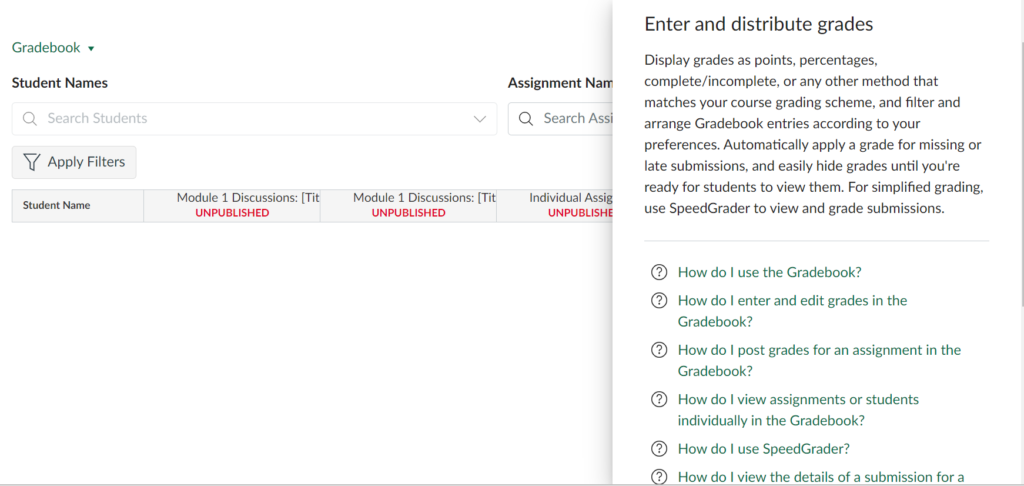
When entering Gradebook in Canvas you will be brought to this page to begin setting up your gradebook for your course.
Read more:
References:
Schaffhauser, D. (2016). How Data from Your LMS Can Impact Student Success. Distance Education Report, 20(1), 4.